





How to find unprotected databases with Netlas.io: Chapter 2
April 10, 2026
5 min read


In the article I will continue to tell you about unprotected DBMSs that can be found using Netlas. In case you have not read the first part, it is available at OSINT Ambition Blog.
Here we will look at three new cases with completely unprotected databases, as well as several additional searches that may allow you to expand your perimeter. In addition, I added a small block devoted to the principles of checking databases for security. I hope it will be useful too.
MongoDB
MongoDB is a database management system, one of the classic examples of NoSQL systems. It is widely used in thousands of projects due to its convenience. Let’s see how you can find these bases using Netlas.
To find all databases available in Netlas, use the following query:
mongodb:*This dork will return over fifty thousand results:
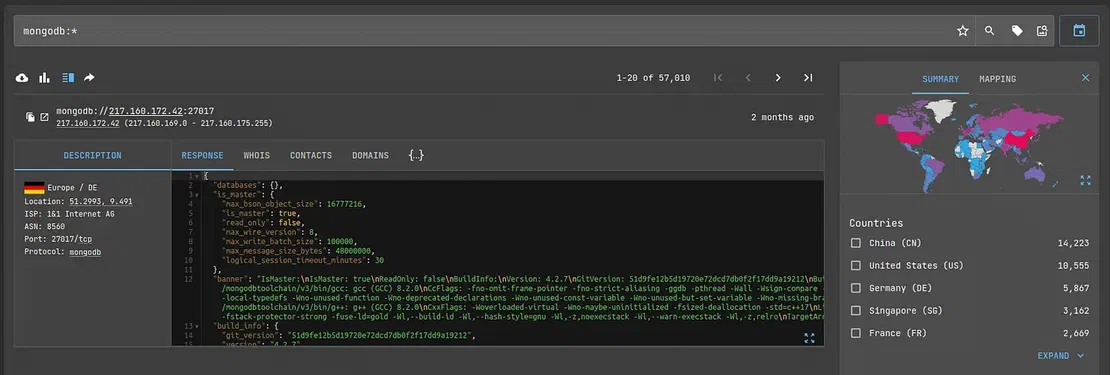
However, as in the first article, we are not interested in all available databases. To find unsecured MongoDB databases, use the following query:
mongodb.databases.databases.name:*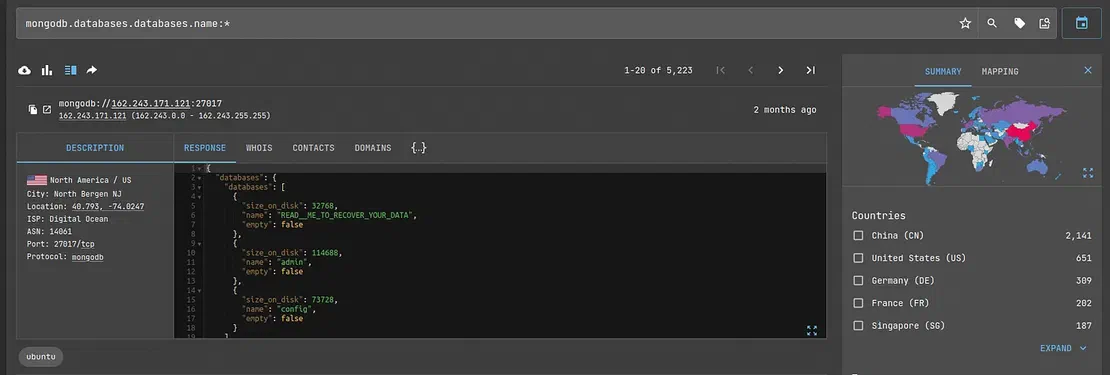
Often, the logic of requests may not be clear to those who are not familiar with Netlas or the object considered in it. It is for these people that I want to explain why the request was drafted in this way.
So what is the point of this request? The point is that if the database is password protected, Netlas will not get the name of the database, indices, etc. In this example, we are accessing the name field of the database. If such a field is present, regardless of what is entered, the scanner has gained access to it. Therefore, the database is not secure.
Therefore, we found an unsecured MongoDB. You can see that there are about ten percent of the total number of databases stored by Netlas. Not so much, but not little either. Can we find anything else related to this system?
Yes, actually, we can.
For simplified database management, there is the so-called MongoDB Express. This web-based interface provides administrators with convenient tools for their needs. Moreover, of course, such interfaces can become the target of an attack. Especially if the database itself is, for some reason, inaccessible from the Internet.
So, to find the desired interface without a password, use dork:
http.headers.set_cookie:"mongo-express" AND http.status_code:200This will return to you all Expresses available through Netlas that the scanner was able to successfully parse. There are few of them, but such a point of interest for an attacker is still worth keeping in mind.
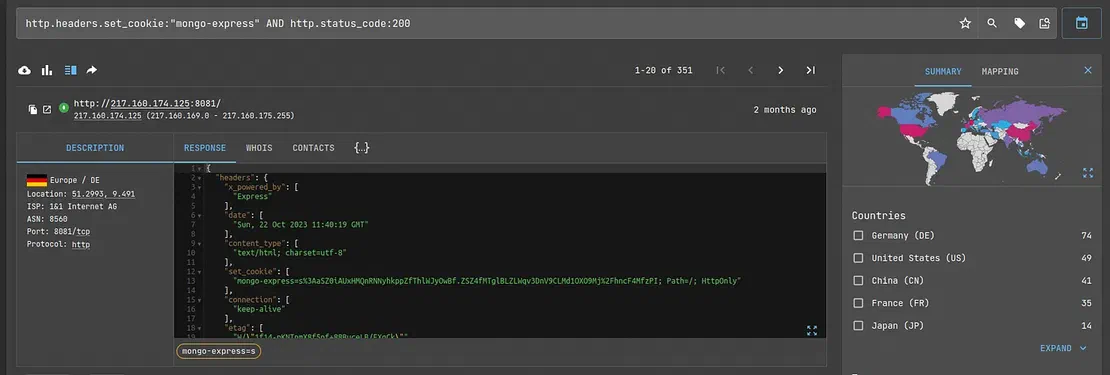
At this stage, researchers may discover an interesting point. The vast majority of such databases have already been noticed and attacked by attackers. So, in one of the previous screenshots, you may have noticed the unusual name of the database:
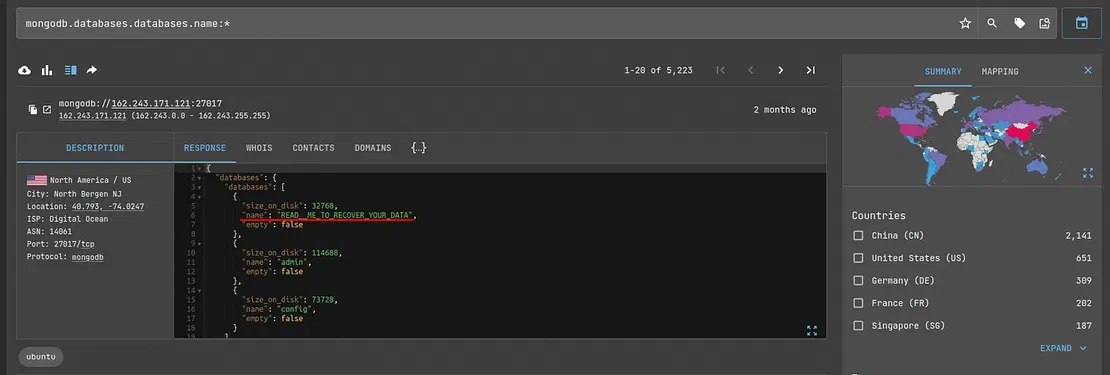
Obviously, hackers have already reached this database and stolen all the valuable information from there. The situation is similar with Express. Almost all objects that are not password-protected look something like this:
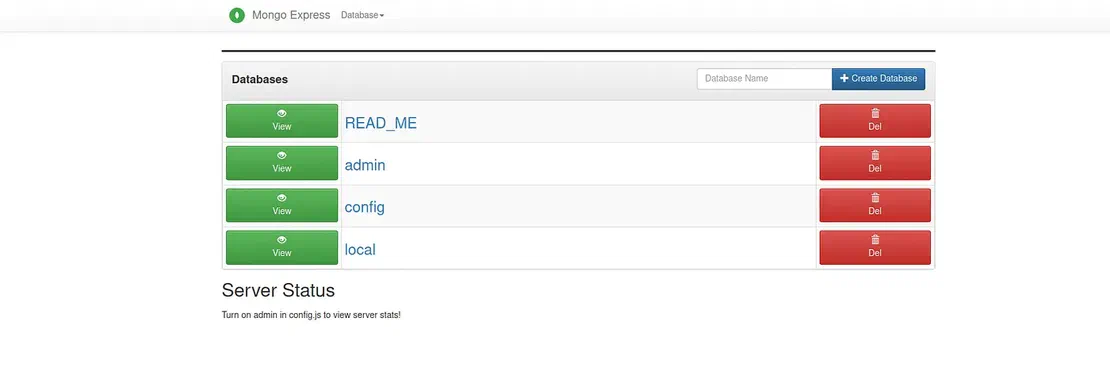
The READ_ME file contains a ransom demand; otherwise, the data will not be returned.
As you can see, database security is a very important point.
Request Your Free 14-Day Trial
Submit a request to try Netlas free for 14 days with full access to all features.
CouchDB
Document-oriented database management system with open-source code and a free distribution model. It is a project of the Apache Foundation and is quite popular.
The following query will help you find these bases in Netlas:
http.headers.server:"CouchDB"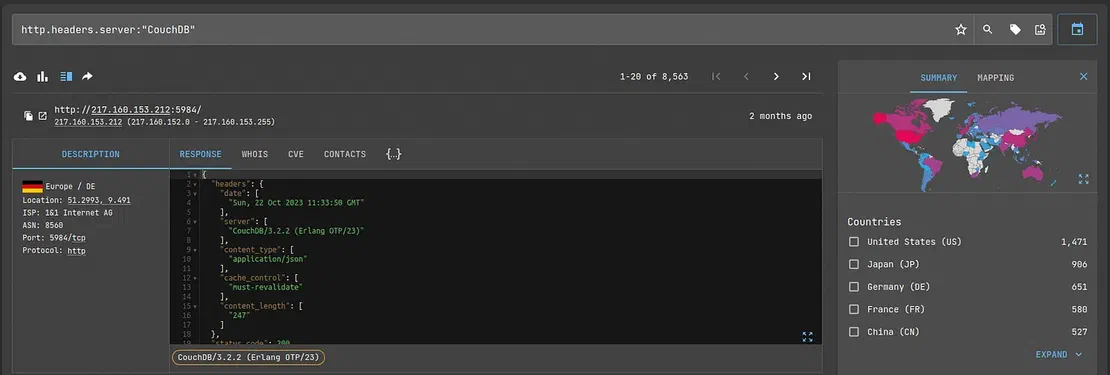
Now you need to check which objects a potential hacker can have access and which do not. There are two options for this:
- Use REST API (most convenient if you need to check many databases; it is convenient to automate);
- Use the Fucon interface, which is more suitable for manual processing.
Let’s say I chose the first option. Then, to open one of the databases, I need to enter the following query into the search bar:
http://IP_ADDRESS:PORT/\_utils/Where IP_ADDRESS and PORT are the corresponding values from Netlas’ answer.
In most cases, you will see this:
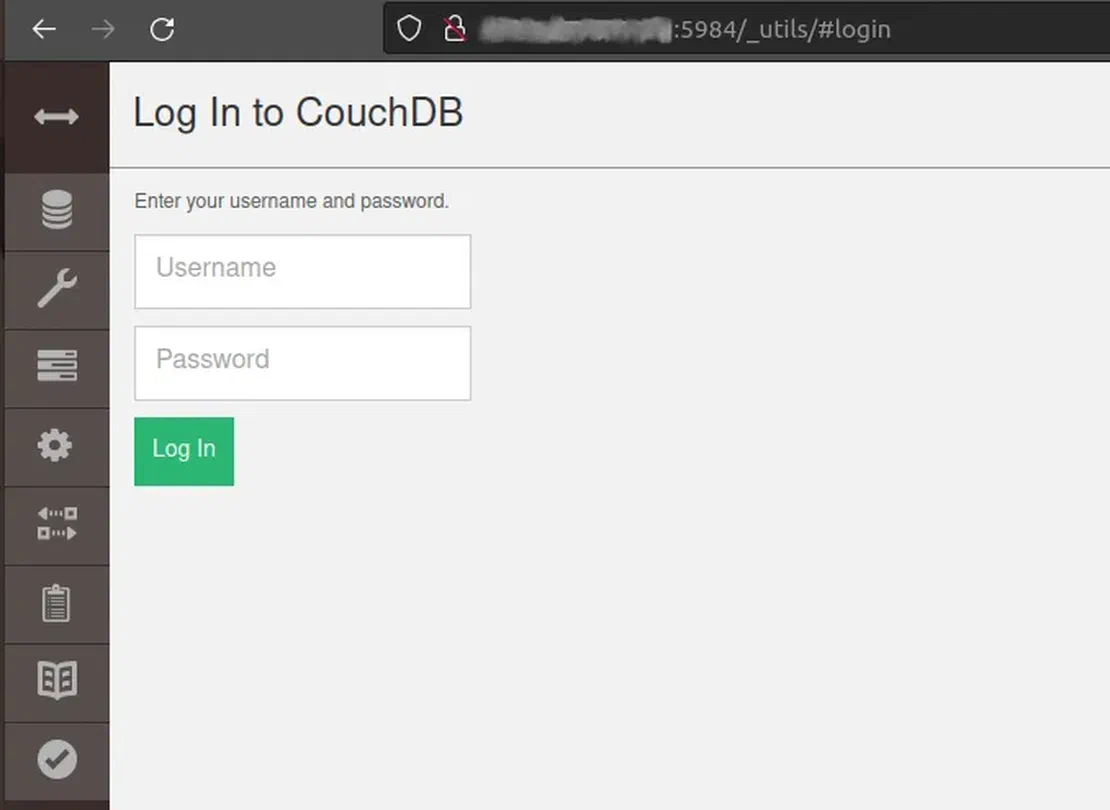
However, we must not forget that CouchDB can create a database without password protection, which means that otherwise, I would be able to gain access to someone else’s information. Which, of course, would be disastrous for the owner.
Ceph
Ceph is a software object network that provides various data access interfaces.
To find objects of this network in Netlas, use the query:
http.favicon.hash_sha256:3db088b4089dee70dfd305a4e200dc72c9ad7d78ffd28ffe36608eaf46591bcdThis will return several hundred results:
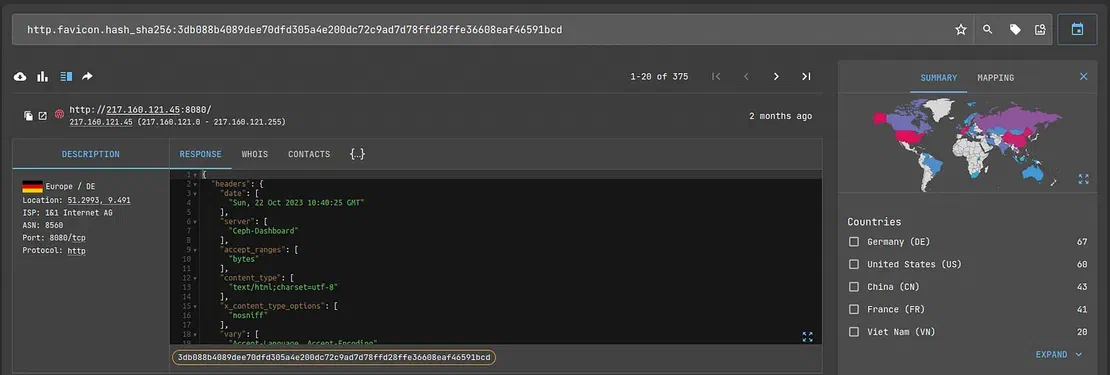
Not very much results, and besides, these objects are usually protected by passwords. Go ahead.
phpMyAdmin
Web interface that allows you to administer MySQL. It is also quite a popular and often-used solution in practice.
To find these objects in Netlas, you can use two different queries.
If your subscription supports the use of tags, write:
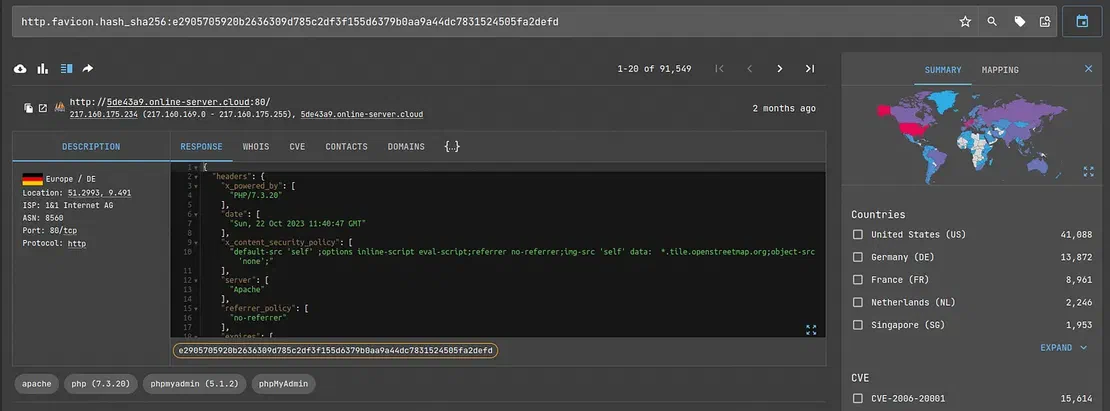
tag.name:"phpmyadmin"Otherwise, use:
http.favicon.hash_sha256:e2905705920b2636309d785c2df3f155d6379b0aa9a44dc7831524505fa2defdThe second option will return slightly fewer results, but even so, their number is close to one hundred thousand.
PostgreSQL
PostgreSQL is a free object-relational database management system. You can use it on a variety of operating systems, including BSD, Linux, macOS, Windows, and others. Perhaps, of all the databases considered, it is the most popular.
To find all these databases in Netlas, use the following query:
prot7:postgres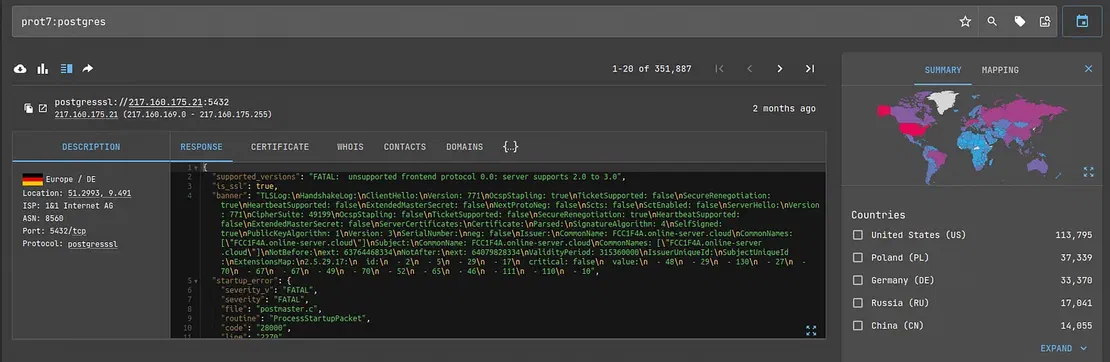
These are not all DBs and storages that Netlas can detect. You can see a more complete (but not the maximum possible!) list in our dork repository:
https://github.com/netlas-io/netlas-dorks
Seeing is Believing
See how Netlas can elevate your threat analysis. Book a quick demo with our team.
Security check
So how can you check if the database you are researching is secure?
The first option is to select a password. Let’s say the client you’re pen testing didn’t change it when they brought up the database. It looks secure, but it is enough to enter the well-known “root” or “admin” to gain access to the information.
You can look at examples of standard passwords on our GitHub repository (in fact, there are many interesting things there):
https://github.com/netlas-io/netlas-cookbook#default-logins-and-passwords
You can also send commands to the database to see its response/lack thereof. This is especially convenient with SQL databases. If a response was received, then, obviously, the information is not protected in any way.
Recommended Reading
I Analysed Over 3 Million Exposed Databases Using Netlas
Conclusion
This article closes the topic of databases that can be found using Netlas. There are undoubtedly many more, and I will be very glad if you find something that was not mentioned in this article.
In any case, I recommend that you be as careful as possible with the information that belongs to you. As we saw with the unfortunate MongoDB nodes, bad guys are not asleep.
Good luck!
Related Posts

March 13, 2026
Using Uncover with Netlas.io module

December 27, 2024
Using theHarvester with Netlas

December 23, 2024
Using TLDFinder with Netlas

September 13, 2024
7 Tools for Web Penetration Testing

August 24, 2026
Best Attack Surface Visualization Tools

April 3, 2026
Using OWASP Amass with Netlas Module